Repository navigation
add public IP range to domain fails in the inital setup (UI Problem) #2929
Description
ISSUE TYPE
- Bug Report
COMPONENT NAME
Cloudstack UI
CLOUDSTACK VERSION
we use the master branch. -> 4.12.0
CONFIGURATION
advanced network, CentOS, KVM
OS / ENVIRONMENT
SUMMARY
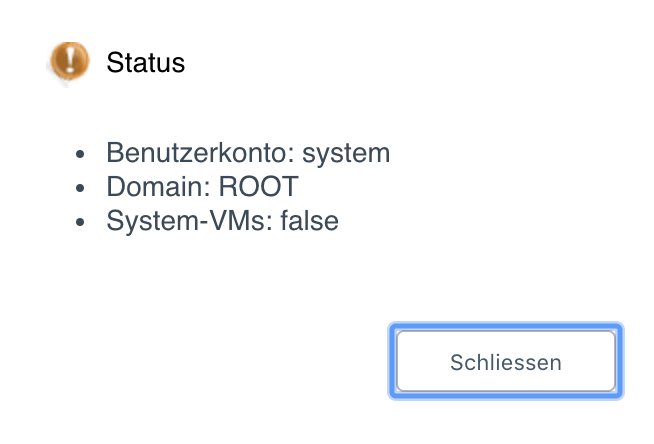
If you create a public network in the infrastructure->zone->physical bridge->ip ranges and you add a ip range with initial "set reservation" the reservation will be set to "[ROOT] System"
after its created you can change it again and its working BUT i think it should be initially set correctly to the account/domain.
STEPS TO REPRODUCE
1. add the public network data

2. set in the initial configuration a other domain e.g. dummy
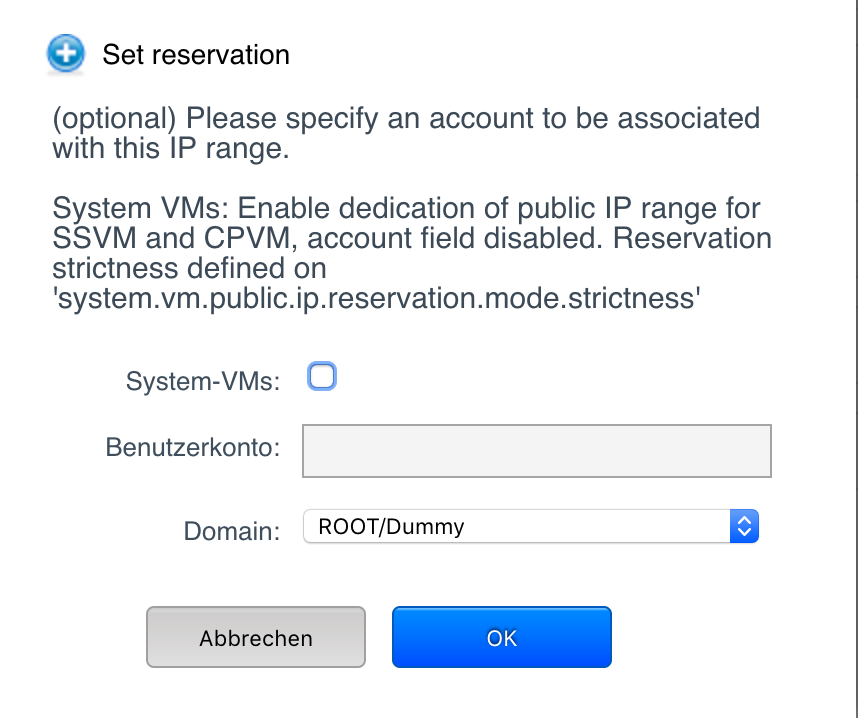
3. you will see it will not set the "dummy" domain but [ROOT] System...

4. after that it i add it again it works
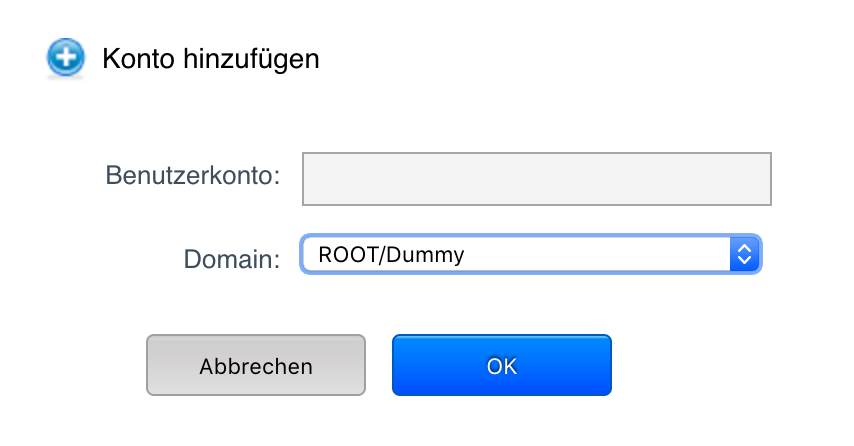

EXPECTED RESULTS
it should be set "initial" the correct account and/or domain!
Activity
yadvr commentedon Oct 26, 2018
@nvazquez can you triage this?
svenvogel commentedon Oct 29, 2018
@nvazquez Can you check this?
nvazquez commentedon Oct 29, 2018
@svenvogel @rhtyd sure, I'll be working on this one and will update you soon