Repository navigation
Searching for enabled "Ruby" shows "RethinkDB ruby" #1516
Description
OS information
macOS, Chrome 89
Steps to reproduce
- Enable Ruby
- Don't enable RethinkDB
- Write "ruby" into the search field
Actual result
DevDocs suggests not installed "RethinkDB ruby"
Expected result
DevDocs suggests installed Ruby so I can press Tab and search within.
More resources


Activity
ojeytonwilliams commentedon Apr 5, 2021
Hi @evmorov, I see what you mean about the search order, but tab works as expected for me:

In the gif I tabbed at 'rub', but everything from 'r' to 'ruby' works as expected.
If possible could you try using a different browser and see if you encounter the issue?
evmorov commentedon Apr 5, 2021
Hi @ojeytonwilliams
Initially, I saw the issue on my wife's laptop. I reproduced the problem on my laptop with no problem.
I think when you typed
ru,Rubyshould have been suggested instead of not installedRust. It makes no sense to suggest something not installed when you have something installed that matches.Also, you can notice that I (and my wife) have
Rubyenabled notRuby 3like you. It can be the difference.evmorov commentedon Apr 5, 2021
It's not:
ojeytonwilliams commentedon Apr 5, 2021
As I understand it, the rationale is just that until the user indicates that they're only interested in Ruby (by pressing tab) it should not make assumptions about their intent.
That said, if tab is not selecting Ruby, that's definitely a bug. Do you have steps to reproduce that? I haven't been able to.
evmorov commentedon Apr 5, 2021
Looks like a bug to me.
After pressing
Tabit actually chooses Ruby. I've recorded a video in incognito mode:rubyRethinkDB rubyis shown on the top instead of only installedRubyTabRubyis selected butRethinkDB rubywas activeI expect on step 3 to see
Rubyinstead ofRethinkDB rubyon the top.ojeytonwilliams commentedon Apr 5, 2021
Thanks for taking the time to record the gif, that definitely helps.
Admittedly I'm relatively new to the project, but what you've detailed here is how I expect it to behave. If you only want to see Ruby results, you can enable only that and type
rtaband then all the results will from Ruby.Having said all that, there's room for disagreement here, so we can leave this issue open and see if more people find this behaviour frustrating.
j-f1 commentedon Apr 5, 2021
I think it would be good to provide a hint for users — maybe there should be an indicator like Chrome has?

ojeytonwilliams commentedon Apr 5, 2021
I rather like that idea. The initial placeholder is good, but if something like "Press tab to search Ruby 3" appeared as you typed, that would be a nice addition.
MasterEnoc commentedon Apr 6, 2021
@evmorov The
tabonly works with the enabled docs but the search bar searchs in all the available docs. The search bar is going to show the closest match of what you are searching and thetabis going the select the closest match in the enabled docs.Look how this happen to me with a different doc:
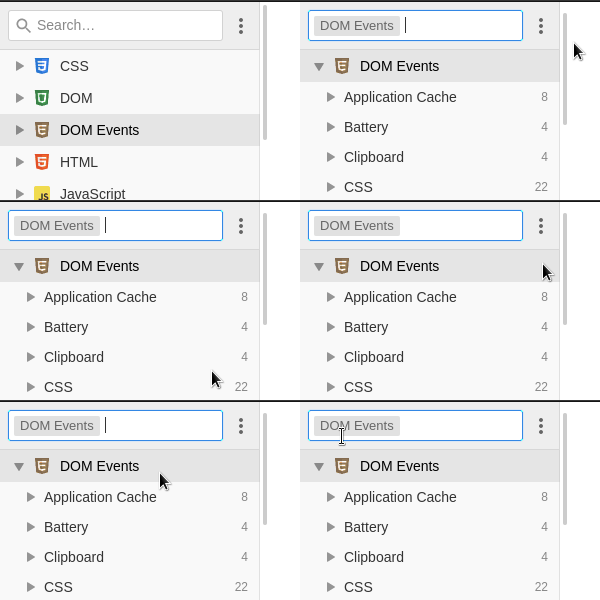
This could be improved but the enabled docs are going to have priority in the search bar and I do not if this behaviour is wanted.
evmorov commentedon Apr 6, 2021
Thanks! So it's a UX problem or the issue can be closed then.
MasterEnoc commentedon Apr 7, 2021
What do you think @ojeytonwilliams @j-f1?
ojeytonwilliams commentedon Apr 7, 2021
I think we can close this, since we've discussed it pretty thoroughly. What I'll do is create a new 'help wanted' issue to track Jed's idea.